
Quick Ride, Free Ride & Zone Ride
Last updated: 2026-05-10
Your Trainer is a multi-rider indoor cycling app for Android tablets. Smart-trainer control with local data + local control. One-time purchase.
Three unstructured-ride modes — one per workout-selection tab. Pick the one whose feel matches what you want today.
| Mode | Tab | Trainer behaviour |
|---|---|---|
| Quick Ride | Power | ERG — holds a target wattage; rider picks the wattage and any cadence. |
| Free Ride | Route | Simulation — virtual gears + slope determine resistance. Closer to outdoor riding feel. |
| Zone Ride | Heart Rate | HR Zone-Lock — rider picks a heart-rate zone; trainer adjusts wattage to keep HR in zone. |
None of the three follows a script. They all save to history afterwards like any other ride. Personal Bests are not recorded for unstructured rides — there's no fixed prescription to compare against.
Quick Ride (Power tab)
The Power tab's unstructured ride. The trainer is in ERG mode and holds a target wattage; the rider chooses the wattage and pedals at any cadence. The +/− buttons on the cockpit step the target by ±5 W (with a 30 W floor). Set a comfortable steady-state and ride; raise the target for surges, drop it for recovery — the trainer does the work of holding the new wattage.
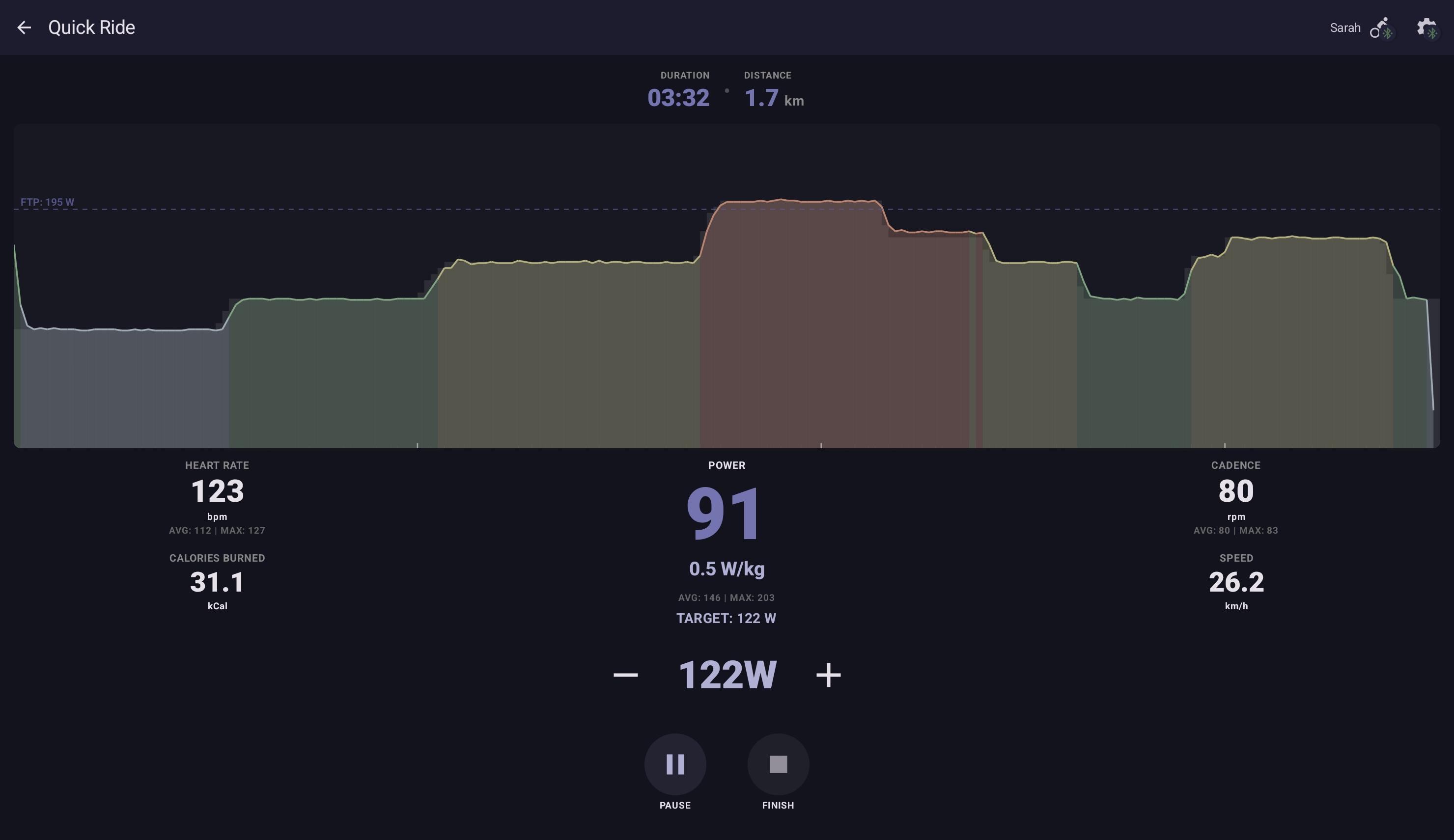
Useful as a warm-up before structured intervals, a fixed-wattage endurance block without committing to a multi-interval workout, or just a casual spin at a chosen effort.
Free Ride (Route tab)
The Route tab's unstructured ride. The trainer is in Simulation mode: resistance follows the slope you've dialled in, scaled by your virtual gear. Three gear-cassette presets — Linear (26), Road (22), MTB (12) — sit on the rider Profile under Virtual Gears.
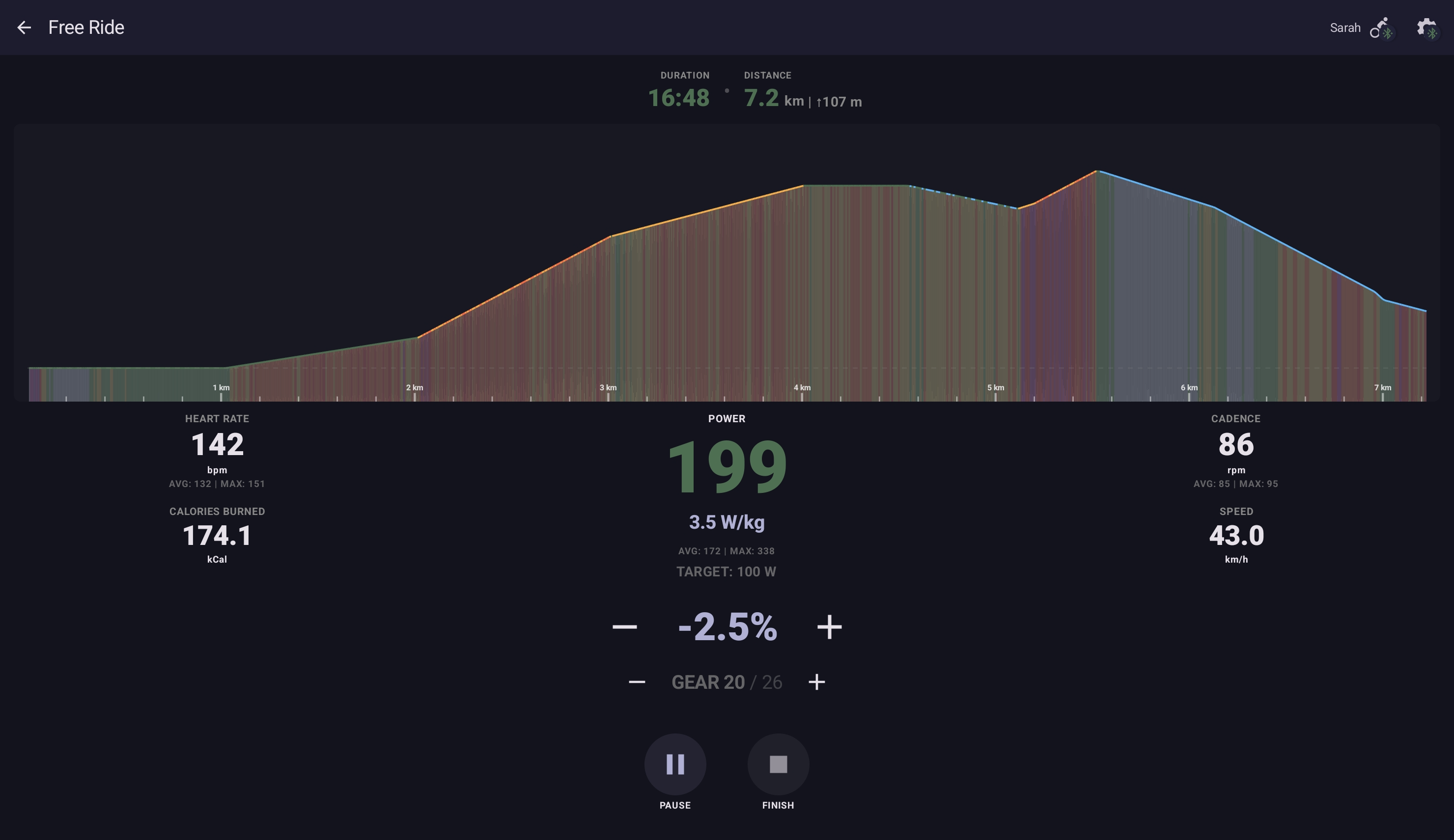
The terrain visualisation under you scrolls flat by default; the slope value is yours to adjust. Many riders leave slope at 0 % and just shift gears to control effort, which lands closer to outdoor-riding feel than ERG does. Climbs you set higher; descents you set negative.
Zone Ride (Heart Rate tab)
The Heart Rate tab's unstructured ride. You pick a target HR zone (1–5) and HR Zone-Lock takes over: every 15–30 seconds the trainer's wattage is adjusted to keep your HR in the zone. The result is a constant cardiovascular intensity even though wattage drifts up or down with fatigue.
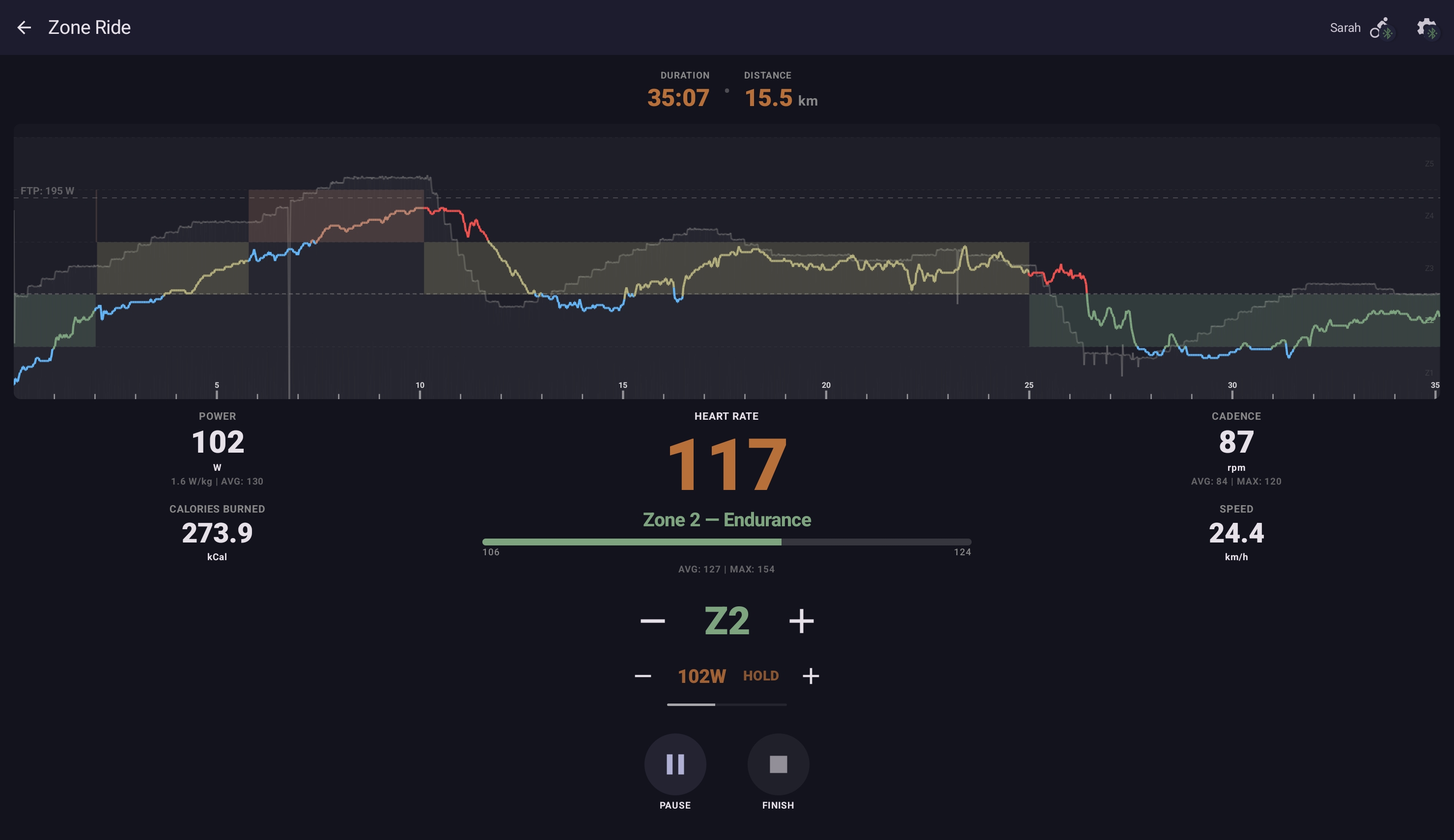
An HRM has to be connected before you can start. The START button reads LINK HRM until the heart-rate sensor connects. If the HRM disconnects mid-ride, the workout pauses and the START button reverts to LINK HRM — wake the sensor (start moving, or re-wet the contact pads) and tap LINK HRM to reconnect and resume.
How it feels in practice
The cockpit shows a small pill that tells you what the controller is doing. The pill cycles through three kinds of state:
- ▲ 8 W / ▼ 5 W — predictive: the controller is about to step the wattage up or down by that many watts. The arrow direction and magnitude update live as your HR drifts; what you see is what the next adjustment will do.
- HOLD — your HR is in zone and no adjustment is queued.
- MANUAL — you've just used the +/− buttons; auto adjustments pause briefly to let your input settle.
A heartbeat indicator alongside the pill shows when the next automatic decision will fire. The adjustment cycle is intentionally slow (15–30 s) so the controller can read your HR's response to its previous nudge before making the next one.
You can override the controller manually with the +/− buttons at any time. A manual nudge resets the decision timer, so the controller doesn't pile its automatic adjustment on top of your input.
When to use which
| If you want… | Use |
|---|---|
| A fixed-wattage steady ride | Quick Ride at a chosen wattage. |
| An outdoor-feel ride with shifting gears | Free Ride in Simulation mode. |
| A constant heart-rate effort | Zone Ride with HR Zone-Lock. |
| A multi-zone structured sequence (warm-up Z2, work Z4, cool Z2) | An HR-Zone workout with intervals — the structured alternative to Zone Ride. |
| To play with the HR-Zone-Lock thermostat for the first time | Zone Ride at Z2 — easy to feel the controller working without much fatigue. |
Saving the ride
Tapping Finish ends the ride and saves the session to your history with the metrics for whatever you actually rode (avg power, avg HR, distance, energy, TSS, etc.). Quick / Free / Zone Rides land in history with the right type tag; Strava upload happens in the background if you've connected it.
Personal Bests don't apply — these modes have no fixed prescription, so the per-attempt comparison that PBs rely on doesn't make sense. The session contributes to history aggregates (28-day activity chart, per-zone time bars, etc.) like any other ride.